
Key Takeaway: The monitoring trap is not about having too many alerts. It is about having alerts that nobody meaningfully reviews. Volume without signal is not monitoring. It is noise that trains technicians to ignore everything.
The 3 AM Wake-Up That Changed Nothing
Your on-call tech gets paged at 3:17 AM. Disk usage hit 89% on a file server in an office where everyone is asleep. The alert fires, the tech groggily logs in, clears some temp files, and goes back to bed. The next morning, nothing is different. Nobody was impacted. Nobody noticed. And this is the fourth time this month the exact same alert has fired on the exact same server.
This is not vigilance. This is noise. And it is slowly grinding your MSP team into the ground.
The RMM tool that was supposed to make managed services proactive and efficient has become the single biggest source of wasted labor, alert fatigue, and technician burnout in your stack. The dirty secret of the MSP industry is that most RMM platforms are misconfigured not because technicians lack skill, but because the default philosophy behind monitoring is fundamentally broken: monitor everything, alert on everything, and assume more data equals better outcomes.
It does not. The research is clear, and the consequences are measurable.
Alert Fatigue Is Not a Metaphor
The concept of alert fatigue comes from healthcare, and the parallel is instructive. A landmark study published in the Journal of the American Medical Informatics Association found that clinicians ignored between 49% and 83% of drug safety alerts, not because they were negligent, but because the sheer volume of low-signal notifications trained them to dismiss everything. This phenomenon is so well-documented that the Joint Commission issued a formal sentinel event alert in 2015 warning that alarm fatigue was a top patient safety hazard.
Your MSP technicians experience the same neurological response. When an analyst receives 300 alerts per day and only 5 of them actually require action, the brain adapts. It starts treating 3 AM pages with the same urgency as routine notifications. Over time, the real critical alerts get buried in the noise. Technicians do not become lazy. They become desensitized, which is a rational response to an irrational signal-to-noise ratio.
Datto’s 2023 State of the Channel RMM report found that MSPs using a single RMM platform with default monitoring templates averaged over 2,500 alerts per technician per week. That is more than 500 alerts per day per person, the vast majority of which are cosmetic, expected, or irrelevant. No human being maintains sharp judgment under those conditions.
A study by the Ponemon Institute confirmed the security impact: a significant percentage of security incidents are missed specifically because analysts were overwhelmed by alert volume. The brain stops analyzing and starts pattern-matching. The pattern becomes “ignore the red text until a client calls to complain.”
The Tool Sprawl Tax
The second problem is that RMM is never alone. The average MSP, according to a 2024 Kaseya survey of over 1,300 providers, manages between 8 and 14 separate tools across their stack. RMM, PSA, backup monitoring, security scanning, network monitoring, project management, documentation platforms, and at least one other tool that someone influential at the company read about in a blog post last quarter.
Each of these tools generates its own alerts. Each has its own dashboard. None of them talk to each other natively in any meaningful way. The result is that your technicians spend more time context-switching between consoles than they spend actually solving problems. A ConnectWise study from 2023 estimated that the average MSP technician loses 30 to 45 minutes per day just toggling between tools and reconciling duplicate or conflicting notifications. Across a team of 20, that is roughly 150 to 200 person-hours per month of pure waste. That is almost a full-time employee doing nothing but clicking between tabs.
This is not a technology problem. It is a process problem with a technology mask. And the industry keeps trying to solve it by adding more tools rather than fixing the underlying workflow.
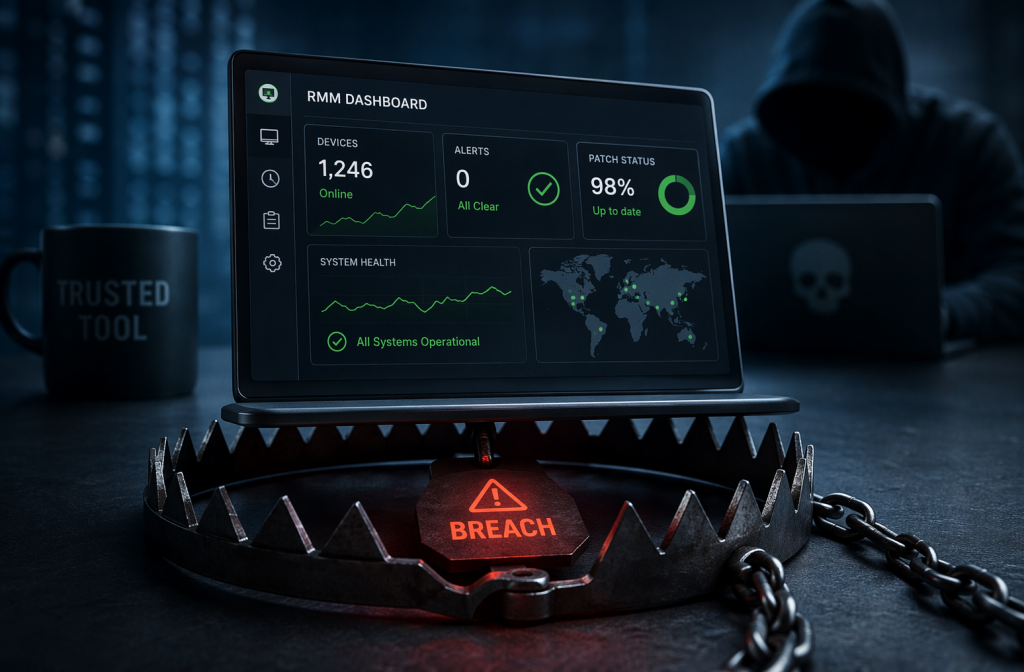
Over-Monitoring Erodes the Client Relationship
Here is the part nobody wants to talk about: excessive monitoring damages your client relationships in ways that do not show up on a dashboard.
When your RMM platform detects every minor blip on a client server and your ticketing system auto-opens a ticket for it, the client receives a stream of low-value service notifications. They get emails about disk cleanup warnings on machines they have never heard of. They see tickets closed for issues they did not report and do not understand. The signal you are trying to send is that you are paying attention. What they actually receive is a firehose of noise that makes your service look either incompetent or performative.
Jack Sachs, a longtime MSP advisor who has worked with over 500 providers, put it bluntly in a 2024 MSP Blueprint presentation: the MSPs with the highest client retention rates are not the ones monitoring the most. They are the ones communicating the most meaningfully about the few things that actually matter to that specific client.
Every irrelevant ticket you push to a client portal is a small withdrawal from a trust account. Do it enough times, and when you need to have a real conversation about a real risk, they have already tuned you out.
The Dwell Time Danger
According to Mandiant, the median dwell time, the time an attacker spends in a network before being detected, remains stubbornly high. Attackers do not trigger “Critical” alerts immediately. They move slowly, blend in with the noise, and leverage legitimate tools.
If your RMM is screaming about a print spooler error, you will not notice the single, anomalous login from an overseas IP address. The noise acts as a smoke screen for the adversary. The tools intended to protect the client are actually providing cover for the attacker.
This creates a dangerous paradox. The more tools you add to “increase security,” the more noise you generate. You end up paying for software that actually makes your team less effective at their jobs.
What Good Actually Looks Like
The fix is not to stop monitoring. The fix is to monitor with intention. Here is what that looks like in practice.
1. Triage your alerts ruthlessly. Go through every active alert in your RMM platform and classify it into one of three buckets: practical, informational, or noise. Actionable alerts require a human response within a defined SLA window. Informational alerts get logged to a daily digest. Noise gets deleted. If you cannot explain to a new technician exactly why a specific alert exists and what they are supposed to do when it fires, it should not be an active trigger.
The Naval Nuclear Propulsion Program, which operates some of the most complex monitoring systems on earth, uses a principle called “minimum effective dose” for instrumentation: you only add a sensor if it provides information you cannot infer from existing data, and if it drives a discrete operational decision. Your office file server does not need 47 separate monitors when 8 well-chosen ones tell you everything necessary.
2. Build client-specific monitoring profiles. A dental office with 12 workstations and a single server has fundamentally different monitoring requirements than a 200-user manufacturing operation with on-premises Active Directory, ERP systems, and compliance obligations. Yet most MSPs deploy the same default RMM template to both.
Build tiered monitoring profiles tied to your service levels. A basic managed services plan gets core infrastructure monitoring. A premium plan gets enhanced monitoring with tighter thresholds and security integration. This is not about charging more for the same thing. It is about aligning your alerting with the actual risk profile and business impact of each client.
3. Audit your tool stack annually. Every year, conduct a formal review of every tool in your stack and ask one question: if we did not already own this, would we buy it today? If the answer is no, plan its removal. Set a hard ceiling of eight tools for a team under 20 technicians. Yes, that means saying no to some genuinely useful platforms. It also means your technicians will actually master the tools they have instead of maintaining a shallow familiarity with a dozen.
4. Measure what matters. Stop tracking metrics that feel productive but do not correlate with outcomes. “Alerts processed” is a vanity metric. “Mean time to resolution for P1 incidents” and “client-reported issue rate” are the numbers that tell you whether your monitoring stack is actually contributing to stability. Track those instead.
5. Separate operational alerts from security alerts. Disk space warnings and update notifications should go to a low-priority queue. Unauthorized admin changes, anomalous logins, and suspicious PowerShell execution should trigger an immediate, high-priority response. When everything is “Critical,” nothing is.
The Bottom Line
The RMM tool is a means to an end. The end is stable, secure infrastructure that lets your clients run their businesses without thinking about technology. When the tool itself becomes the source of wasted labor, desensitized technicians, and eroded client trust, it has inverted the relationship. You are now serving the monitoring instead of the monitoring serving you.
The MSPs that figure this out, that build lean monitoring stacks with tight signal-to-noise ratios and client-specific alerting profiles, are the ones that will retain their best people and their best clients. The ones that keep buying more tools and turning up the sensitivity dial will keep wondering why their technicians are burned out and their clients are shopping for a new provider.
The technology is not the problem. The philosophy is.
Frequently Asked Questions
How many alerts per day should an MSP technician handle?
There is no universal number, but the practical ceiling for maintaining sharp judgment is around 50 to 80 practical alerts per technician per day. Beyond that, critical issues start getting missed. If your current volume is above that range, you almost certainly have noise mixed in with your practical alerts. A triage audit will quickly reveal how many of your existing triggers can be downgraded to digest-only or removed entirely.
Should we reduce monitoring to reduce alert fatigue?
Not exactly. The goal is not less monitoring. It is more precise monitoring. Removing a monitor leaves a blind spot. Replacing a noisy threshold with a contextually appropriate one improves signal quality without sacrificing coverage. Think of it as editing, not deleting. You want the minimum number of monitors that gives you complete visibility into the systems that matter.
How do we explain monitoring changes to clients without sounding like we are cutting service?
Frame it as an upgrade, not a reduction. Instead of saying “we are turning off alerts,” say “we are reducing the noise in your service portal so that the issues that actually need your attention stand out clearly.” Clients do not want more tickets. They want fewer problems. If your monitoring overhaul results in fewer false-positive tickets hitting their portal, that is a visible improvement in service quality.
What is the right number of tools for an MSP to use?
For most small to mid-sized MSPs, between five and eight well-integrated tools is the functional sweet spot. Beyond that, the integration overhead and context-switching tax start to outweigh the marginal value of each additional platform. The exact number matters less than the discipline to say no to new tools unless you can clearly articulate the gap they fill that nothing in your current stack addresses.
How often should we audit our RMM alert configuration?
Quarterly is a practical cadence for most MSPs. Every 90 days, review all active alerts against the previous quarter of fire history. Anything that fired more than three times without leading to a meaningful action should be re-evaluated. Thresholds drift, environments change, and new noise sources emerge. An alert configuration that was well-tuned six months ago may be deeply out of date today.
This article is part of the MSP Cybersecurity Hub, everything Rewired MSP has published on building a security-first practice.
Related Reading: PSA best practices
